

The preselection of SQL functions in the search processing can be done using a constant string.
Note
When toggling between a DBFunction and a DBWherePartFunction, the SQL text should be applied first. Only if it still remains empty, then the initialization should be done with the constant (prevents previously completed work to be destroyed during the function changeover).
If you select the "SQL statement" or "SQL statement (Where Part)" functions in search editing, the SQL text is now provided with a comment on the use of the extensions (see Fig. 1). The SQL text can now also be edited in the Web Client via a popup (see Fig 2).
The same comment appears in the Windows Client. It has always been possible to switch to the text area and into an Edit popup via double-click.
Depending on the locale of the user, the comment will be internationalized and inserted. If, however, it is saved in the search (which should be avoided), then it will remain in the inserted language.
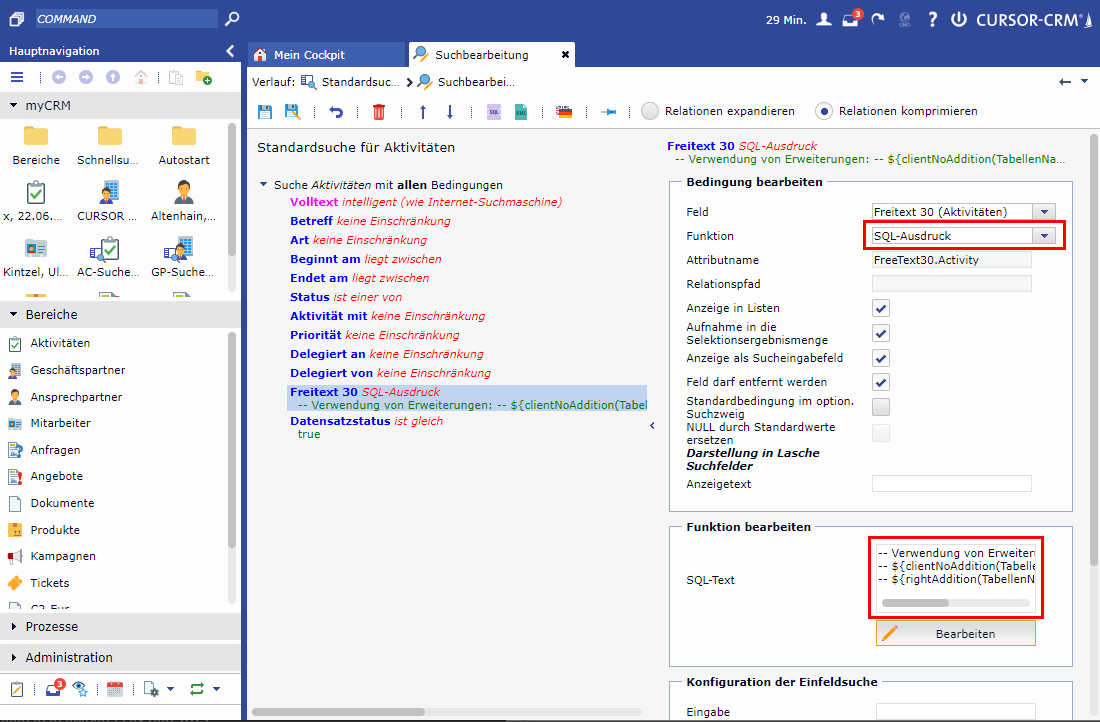
Figure: (1) Function "SQL statement" in the search processing
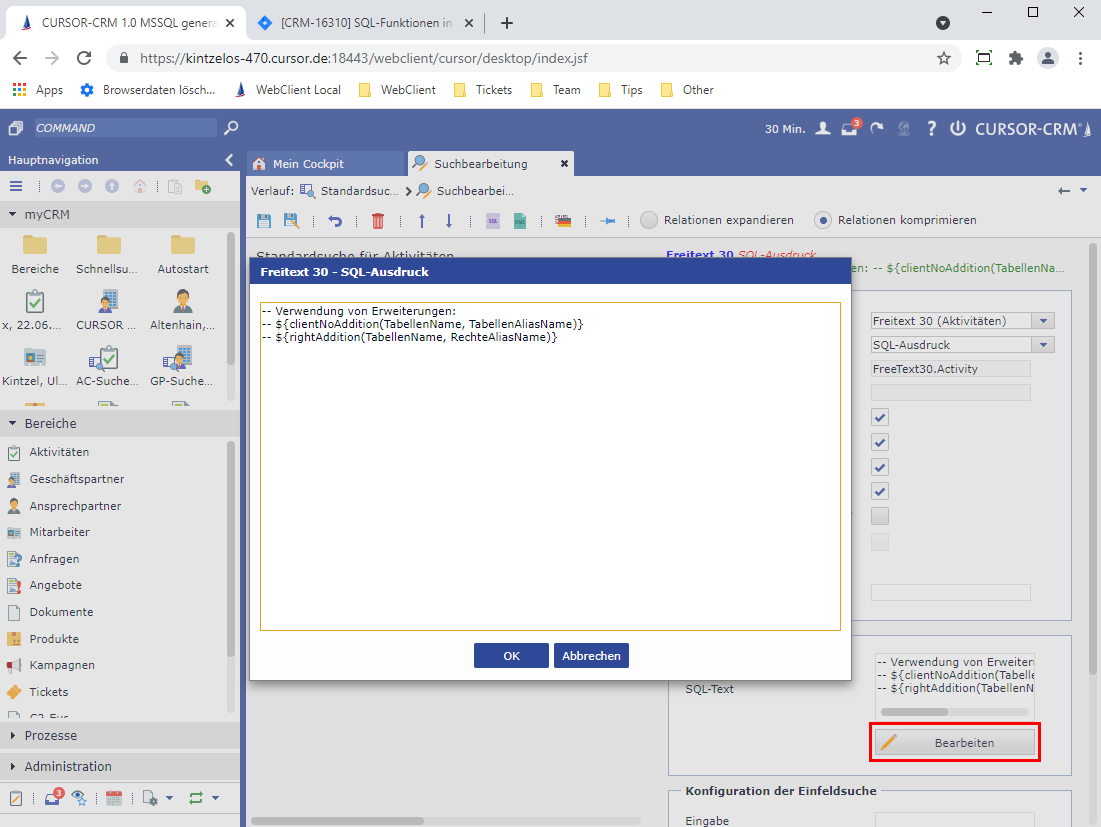
Figure: (2) Edition of the SQL text function